

 with VCarts®
Your VCarts owner’s guide · brought to you by Beach Better
Everything you need to love your new cart: charging, safety, driving, the touchscreen, upkeep, and storage. Good for every VCarts model, straight from the VCarts® User Manual.
Charging
The VCarts® comes equipped with a Lithium Battery Charger installed and located on the passenger side of the vehicle under the folding seat.
We do not recommend charging in extreme cold or extreme heat. The recommended temperature range to charge the battery is from -4°F (-20°C) to 113°F (45°C).
- Turn the key to OFF.
- Turn off all accessories.
- Connect the AC cord to the power source.
The vehicle will start to charge in 2 to 10 seconds.
AC electrical cord and plug
The AC plug must be connected to a correctly rated ground fault circuit interrupter (GFCI) receptacle with arc flash protection, installed and grounded in accordance with the National Electrical Code, local codes, and local ordinances.
- The extension cord must accept a three-prong plug.
- The extension cord must be as short as possible and not exceed 12 ft (3.7 m).
- Make sure that cords will not be stepped on, tripped over, or subject to damage or stress.
Examine cords and plugs for wear and damage before use. Immediately replace cords with cracks, cuts, frayed wiring, insulation damage, loose connections, or splices, and plugs with corrosion, cracks, loose connections, missing pins, or worn pins. Do not try to repair the AC cord plug or pins.
Safety
Always:
- Use the vehicle in a responsible manner and maintain it in safe operating condition
- Read and observe all warnings and operation instruction labels affixed to the vehicle
- Follow all safety rules established in the area where the vehicle is being operated
- Leave the vehicle when there is a risk of lightning
- Reduce speed for poor terrain or conditions, and in wet areas
- Apply brakes to control speed on steep grades
- Maintain adequate distance between vehicles
- Use extreme caution at sharp or blind turns, over loose terrain, and where pedestrians are present
Inclines
Carts should NOT be driven over dangerous terrain, or up steep hills or inclines exceeding or equal to 20°. If the driver attempts inclines of 20° or more, loss of power may occur.
Modifications
Do not install non-VCarts® approved accessories or change the vehicle to increase speed or power. Modifications may void the warranty.
Operation
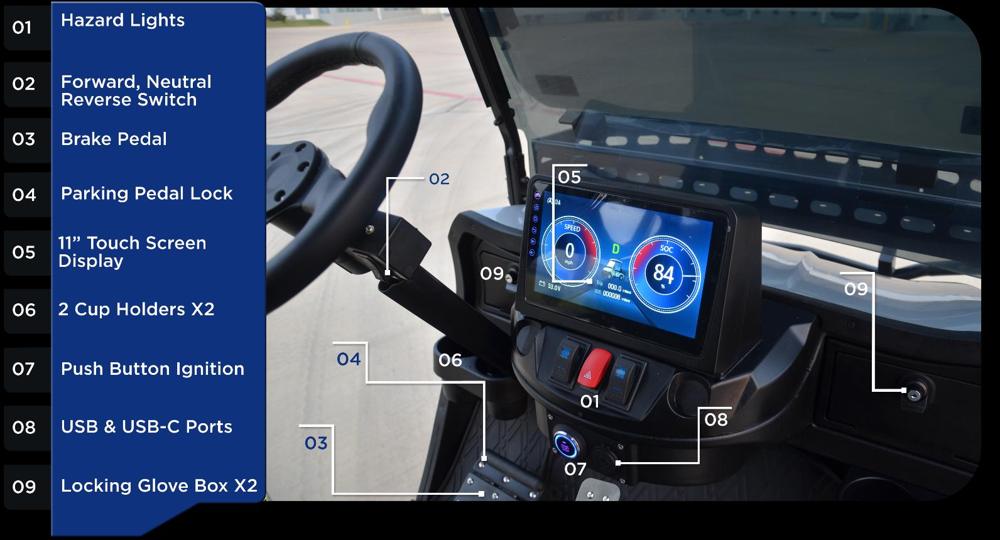
Push button ignition: the large circular button at the center of the dash turns the electric system (lights, horn, radio, USB, controls) on and off. The key must be within 1 foot of the button.
Forward / Neutral / Reverse switch: press the upper part for forward, the lower part for reverse.
Brake pedal: for slowing and parking. Parking pedal: the small pedal at the top of the brake pedal; press it all the way down until the clicking stops. Press again to release.
Accelerator: press slowly; the cart speeds up as you press and slows as you lift.
Before starting
- All passengers seated and holding on; driver has both hands on the wheel
- Front wheels turned in the direction of travel, no obstructions
- FNR set to N, park brake set, accelerator not pushed, vehicle at a full stop
Start
- Make sure the key is within 1 foot of the ignition button.
- Push the ignition button.
Turn off
- Release the accelerator and stop the vehicle.
- Push and hold the brake pedal.
- Set FNR to N.
- Press the ignition button to turn the cart off.
- Engage the park brake.
- Remove the key and keep it in a safe area.
Daily checks
Before driving, check that parts, nuts, and bolts are tight; decals are in place; tires are not worn and pressure is correct; the battery is fully charged; and charger cords and plugs are undamaged. If the vehicle is in bad condition, remove it from operation and contact your dealer.
Transport
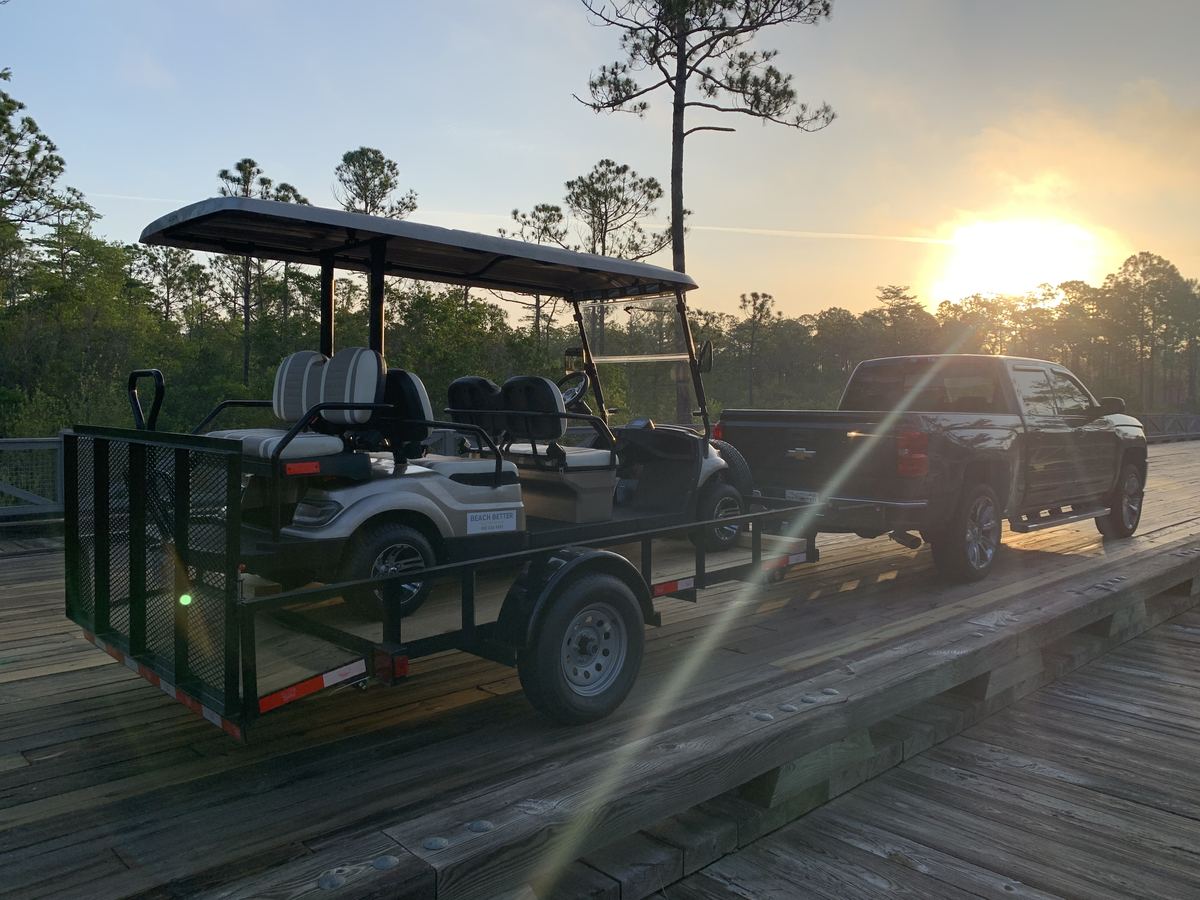
The roof is designed for speeds up to 30 mph. When trailering, strap the roof lengthwise from front to rear and transport the cart facing forward. Roof damage from improper transport is not covered by warranty.
The 11″ touchscreen
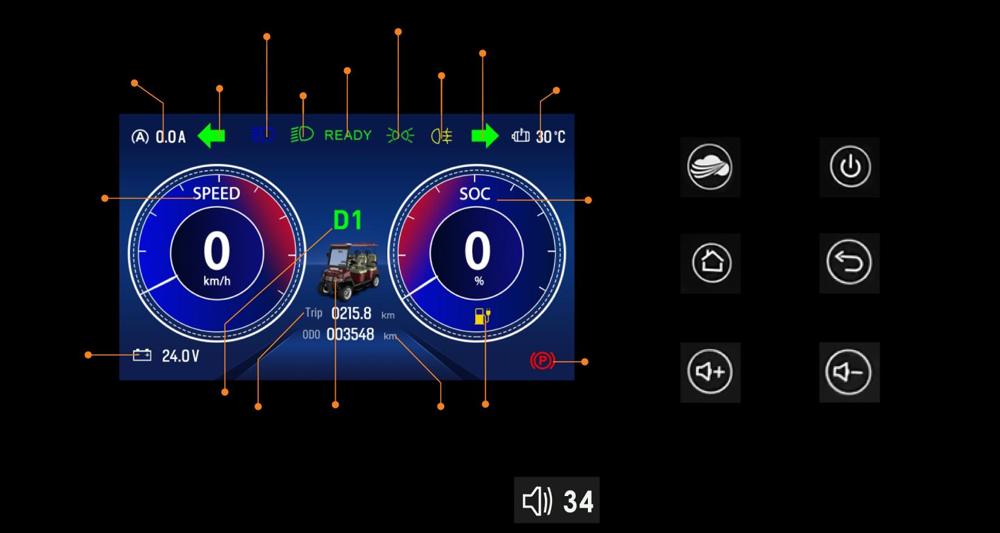
The touchscreen shows power levels, vehicle speed, battery power, direction (D or R), Bluetooth, Apple CarPlay, Android Auto, USB, radio, and more. Tap the home button or car icon to open the main menu.
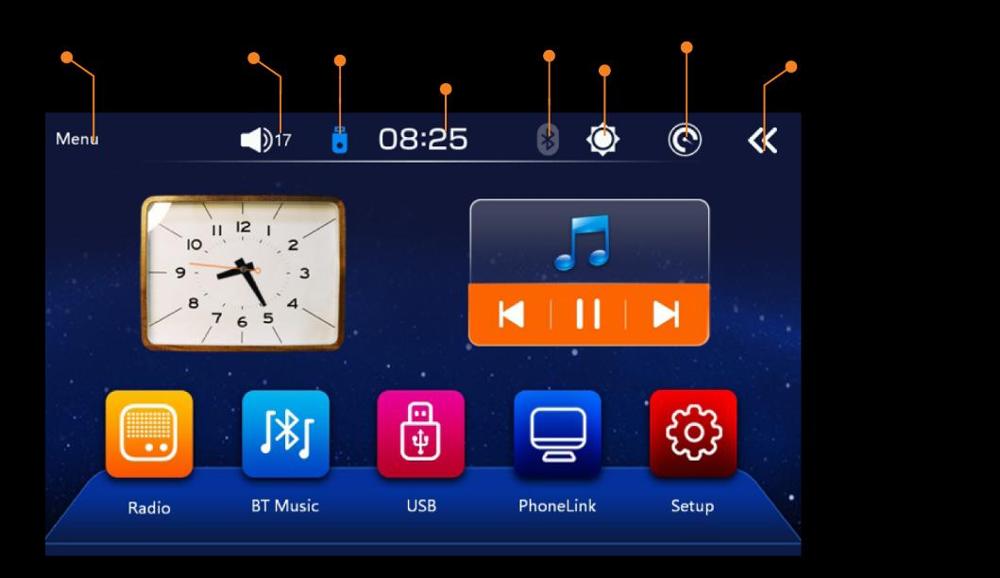
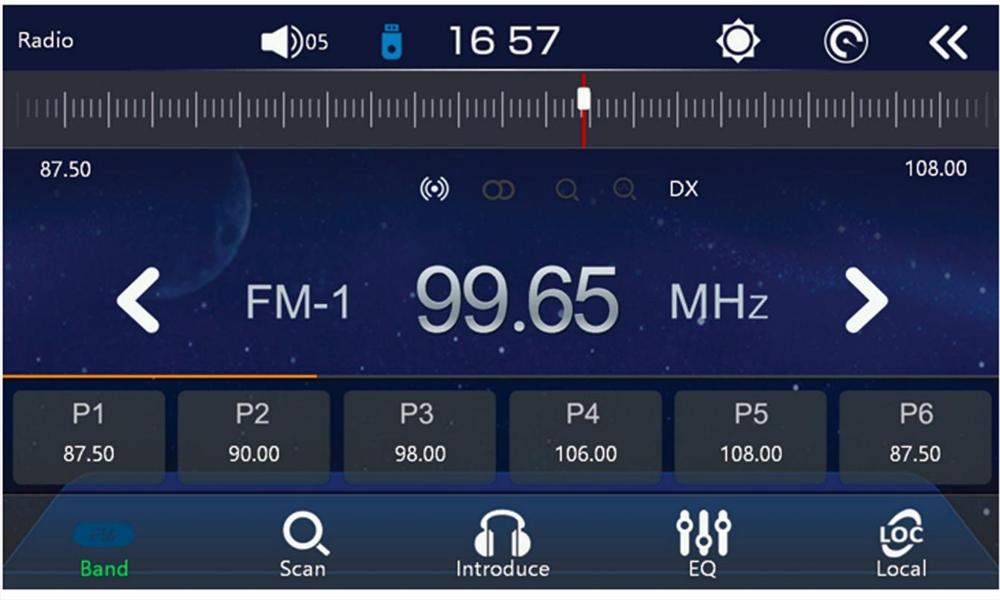
- Radio: tap Radio, then the search icon to find stations; tap a station to select it. DX/LOC switches far or close-range reception.
- EQ: tap the sound effect icon to pick a style and adjust frequencies and left/right channels.
- Bluetooth: tap Bluetooth, pair from your phone; the phone name appears when connected. Tap the connection icon to disconnect.
- Bluetooth music: shows song and artist with play/pause and track buttons.
- Phone: download your contacts, view call records, dial, answer, and hang up.
- USB: play media from a USB drive.
Maintenance
New cart, first month
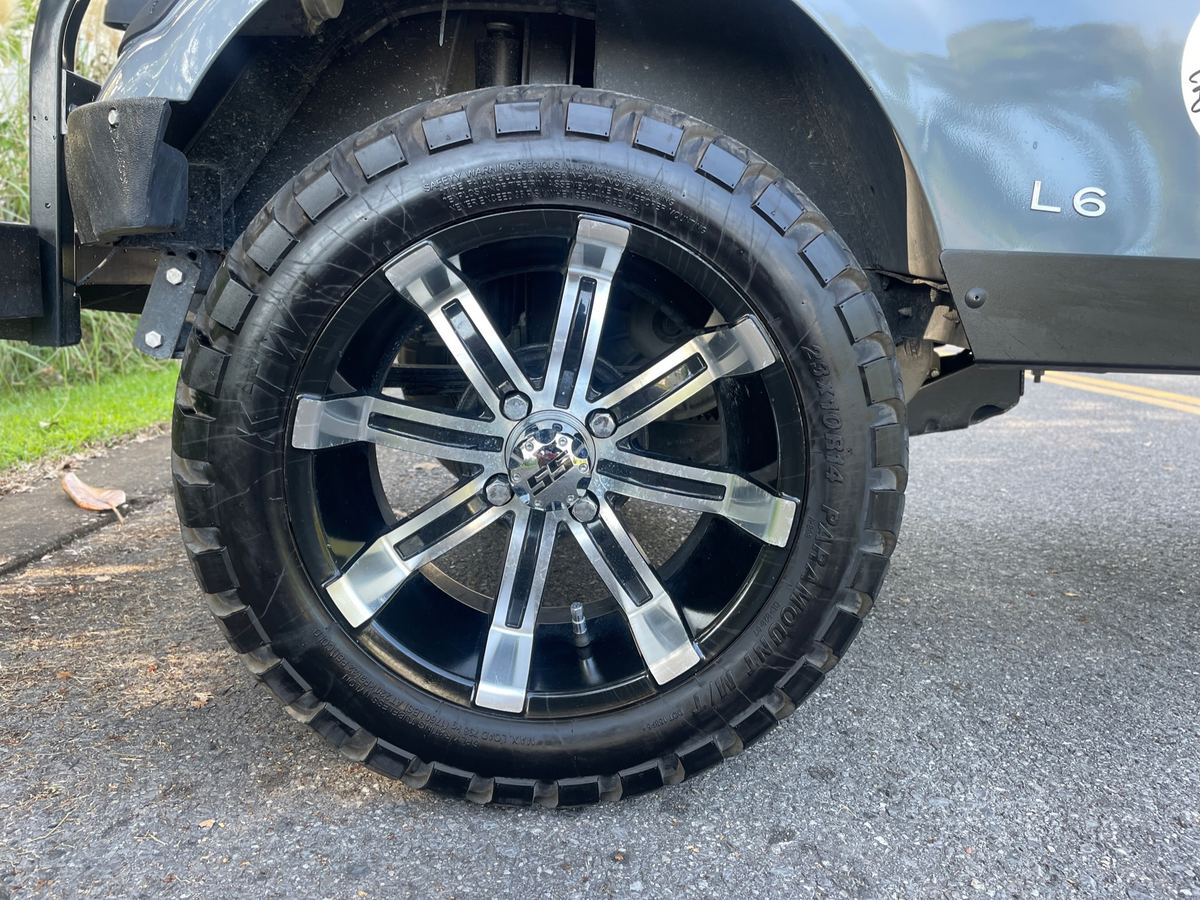
- Check tire pressure. Tires are 23 x 10 - 14 at 200-250 kPa.
- Avoid poor roads where possible; check and tighten connections and chassis parts regularly.
- Check brake pad wear every 3 months.
- Check electrical connections, especially the main circuit, every 3 months; blow off dust with low pressure air.
- Do not press the accelerator hard and frequently; it may shorten controller life.
- It is not necessary to add battery additives or water.
Motor
- Avoid idle running.
- Keep away from gas fumes and flammable substances.
- Remove mud, sand, and debris often to prevent overheating.
Controller
Every 3 months, with the battery cut off, check contacts and the changeover switch. Do not wash electrical parts with water. Questions: care@vcarts.com.
Troubleshooting
Cart will not start: controller not powered (battery or wire connectors, blown fuse), no signal to the controller (wiring or accelerator pedal), main connectors stuck or shorted, or a damaged motor controller. Top speed drops: battery nearly used up, accelerator pedal or controller malfunction.
Brakes
Effective brake force is around 65 lbs; parking force around 45 lbs (200 N).
Lubrication points
- Steering gears
- Horizontal bars
- Steering ball joints
- Bearings
- Turning parts of pedals
Battery care
- Keep the battery exterior clean and dry, with good connections.
- Recharge the same day; do not leave the battery discharged.
- Do not open the battery case or introduce impurities.
- Watch the meter while driving and return to charge before the battery fully discharges; over-discharging shortens its life.
- If the cart is unused for a long time, fully charge it first and fully recharge every half month.
- Park the cart, with power off, while charging.
- Replacement batteries must match the original voltage, amperage, and capacity.
- The charging extension cord is sold separately.
Storage
Recommended extended storage temperature is -4°F (-20°C) to 113°F (45°C).
Preparing for storage
- Turn off all electronic accessories.
- Set FNR to N.
- Turn the key to OFF and remove it.
- Chock the wheels. Do not engage the parking brake.
- Remove all cargo and personal items.
- Keep the vehicle in a cool, dry area.
- Set each tire to the recommended pressure.
- Clean the vehicle.
- Connect the battery charger.
Returning to service
- Fully charge the battery.
- Set FNR to N.
- Set each tire to the recommended pressure.
- Have a trained technician lubricate the vehicle.
- Do a vehicle performance inspection.
E-Series 4 & 6 specs

| 11′9″ model | 9′3″ model | |
|---|---|---|
| Dimensions | 11′9″ L x 3′10″ W x 6′3″ H | 9′3″ L x 3′10″ W x 6′3″ H |
| Ground clearance | 1′3″ | 1′3″ |
| Max forward speed | Up to 25 mph | Up to 25 mph |
| Weight | 1,175 lbs | 1,041 lbs |
| Max load capacity | 960 lbs | 800 lbs |
| Max incline | Up to 20° | Up to 20° |
| Motor | 5kW | 5kW |
| Running distance | Up to 35 mi* | Up to 35 mi* |
| Off road tires | 225 / 50R 12 | 225 / 50R 12 |
| Suspension | Leaf spring | Leaf spring |
| Frame / chassis | Zinc plated powder coated | Zinc plated powder coated |
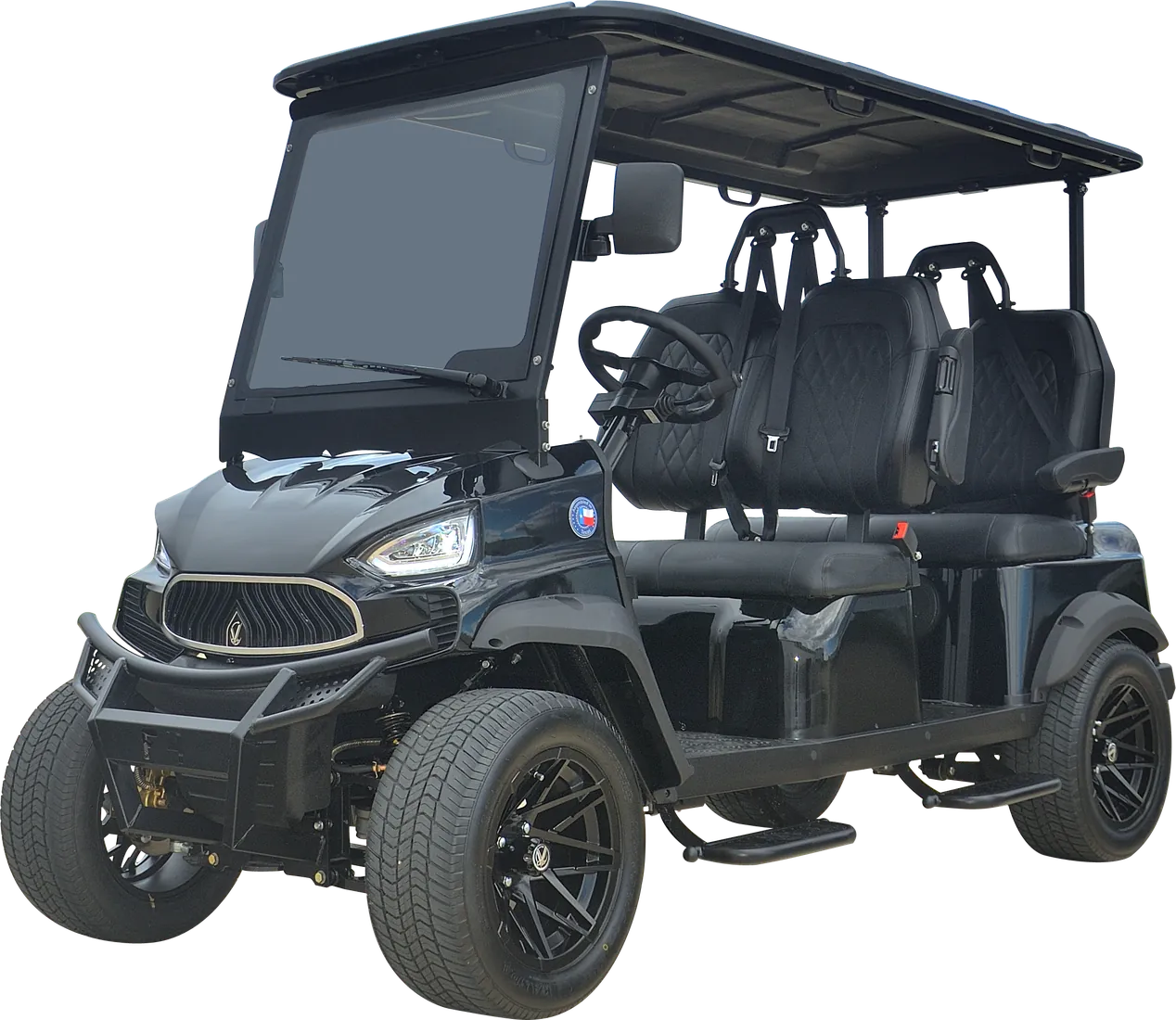
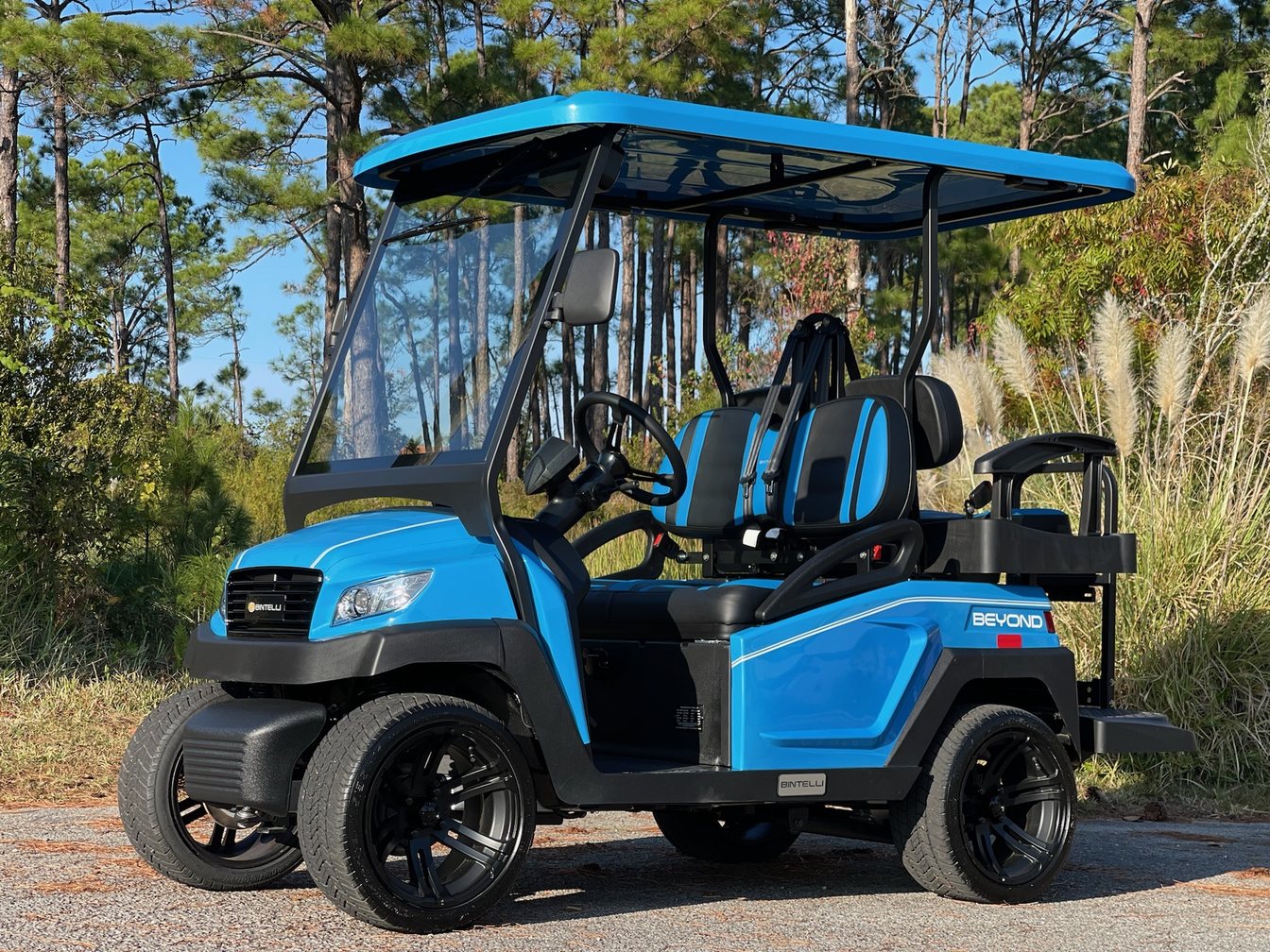
As printed on the VCarts E-Series 4 & 6 spec sheet. *Range may vary depending on passenger load, cargo, terrain, and driving conditions. Colors: black, white, red, burgundy, gray, sky blue, blue; seats brown, gray, black.
Beach Better · Authorized VCarts dealer · beachbetter@beachbetterfl.com · (850) 830-4699